Free shipping on orders over €65*

2001-2006 Mini Cooper Radio Replacement

What you need

  1. 2001-2006 Mini Cooper Radio Replacement, Radio / Head Unit: step 1, image 1 of 3 2001-2006 Mini Cooper Radio Replacement, Radio / Head Unit: step 1, image 2 of 3 2001-2006 Mini Cooper Radio Replacement, Radio / Head Unit: step 1, image 3 of 3
    • Grab the knee bolster panel under the steering column with both hands.

    • Pull it down and out.

    • Using a Torx screwdriver with T30 tip, remove the two M5 x 2.5 x 25 screws in the left pillar.

  2. 2001-2006 Mini Cooper Radio Replacement: step 2, image 1 of 3 2001-2006 Mini Cooper Radio Replacement: step 2, image 2 of 3 2001-2006 Mini Cooper Radio Replacement: step 2, image 3 of 3
    • Open the glovebox.

    • Using a Torx screwdriver with a T20 tip, remove the two M5 x 2.5 x 30 screws in the right hand side pillar.

    • Minis in America will usually have a cup holder attached with these 2 screws on the right. It will come off when the 2 screws are removed and can be set to the side.

  3. 2001-2006 Mini Cooper Radio Replacement: step 3, image 1 of 3 2001-2006 Mini Cooper Radio Replacement: step 3, image 2 of 3 2001-2006 Mini Cooper Radio Replacement: step 3, image 3 of 3
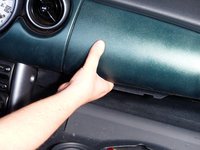
    • With the glovebox still open, grab the bottom of the passenger dash panel and pull it forward. The panel does not need to be removed, just popped out.

    • Grab under the driver side dash panel near the radio and pull it forward. Again, the panel does not need to be removed, just popped out.

    • Pull each side of the middle dash panel until it pops out, like the previous ones.

  4. 2001-2006 Mini Cooper Radio Replacement: step 4, image 1 of 3 2001-2006 Mini Cooper Radio Replacement: step 4, image 2 of 3 2001-2006 Mini Cooper Radio Replacement: step 4, image 3 of 3
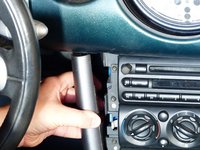
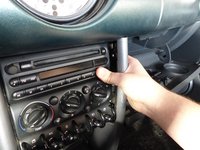
    • Grab the left hand side pillar, then pull it out and to the left.

    • Grab the right hand side pillar, then pull it out and to the right.

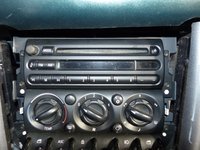
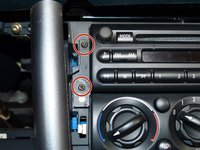
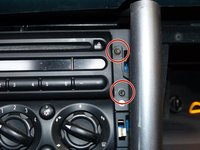
    • The four screws holding the radio in should now be exposed.

  5. 2001-2006 Mini Cooper Radio Replacement: step 5, image 1 of 3 2001-2006 Mini Cooper Radio Replacement: step 5, image 2 of 3 2001-2006 Mini Cooper Radio Replacement: step 5, image 3 of 3
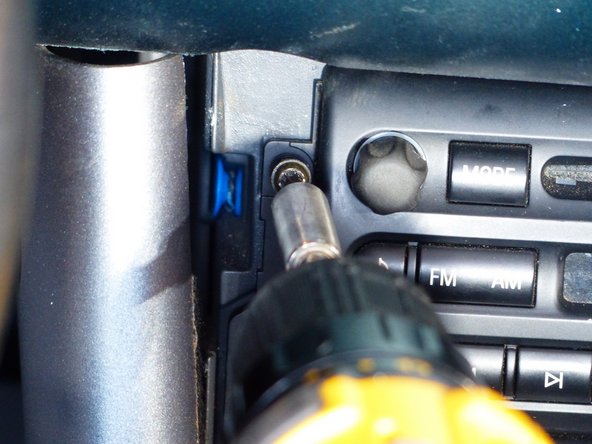
    • Using a screwdriver with a T20 bit, take out the four M3 x 2 x 20 screws holding the radio in place.

    • Some models have philips head screws instead of the regular torx head depending on age.

  6. 2001-2006 Mini Cooper Radio Replacement: step 6, image 1 of 2 2001-2006 Mini Cooper Radio Replacement: step 6, image 2 of 2
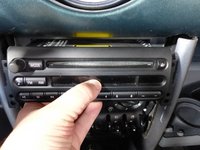
    • Grab the radio and gently pull it out of the dash.

  7. 2001-2006 Mini Cooper Radio Replacement: step 7, image 1 of 3 2001-2006 Mini Cooper Radio Replacement: step 7, image 2 of 3 2001-2006 Mini Cooper Radio Replacement: step 7, image 3 of 3
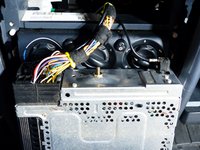
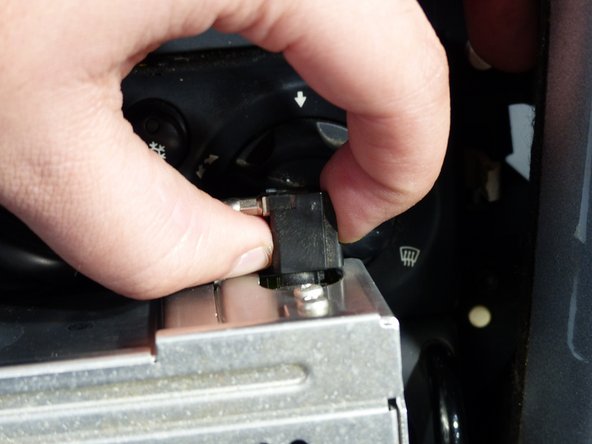
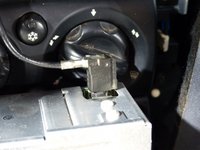
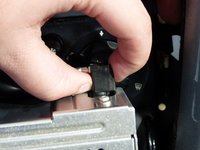
    • Pinch the antenna connector and pull it straight out.

  8. 2001-2006 Mini Cooper Radio Replacement: step 8, image 1 of 2 2001-2006 Mini Cooper Radio Replacement: step 8, image 2 of 2
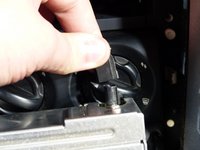
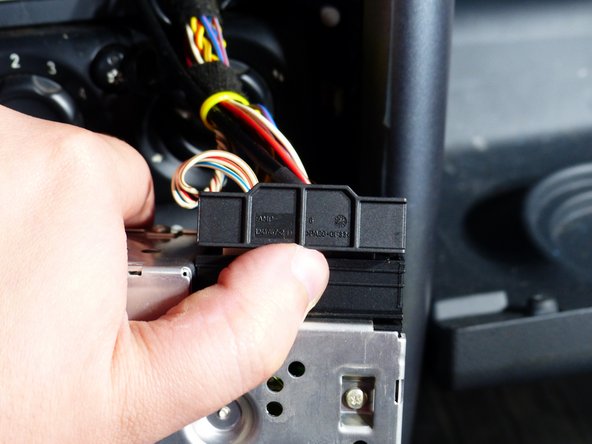
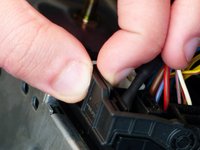
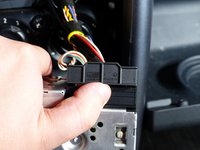
    • For the main connector, pinch the lever arm with the piece of plastic next to it.

    • Lift up on the arm and pull the connector out.

    • The radio can now be removed from the car.

Conclusion

To reassemble your device, follow these instructions in reverse order.

10 other people completed this guide.

3 Guide Comments

I bought everything to install a aftermarket radio in my 2005. Mini s. Everything lights up. Stations tune in but no sound

Roy Ober - Reply Share
The replacement radio powers on but there's no audio. Which wire provides power to the amp for audio? It seems like I've tried them all....

Olu - Reply Share
If your ever in the junkyard and one has an aftermarket stereo but you have no torx or hex, rip off the door sil chrome trim and wedge it in the left and right side of the stereo in the teeny tiny gap from the stereo to metal sleeve to release metal clips connecting the sleeve to the stereo and PUSH stereo inside so you have access to stereo sleeve, put a screwdriver in a hole of the sleeve that fits and pry until it breaks the plastic, it will destroy the metal sleeve beyond bending back but they are extremely cheap and then you can take out the stereo and clip harness with as much wire left as possible, had to do this today and scored a bluetooth kenwood excelon deck for 10 bucks on half off day, gonns make a bluetooth boombox with infinity reference 6x9s also from junkyard lol

Rylin Rendon - Reply Share

Add Comment

View Statistics:

Past 24 Hours: 11

Past 7 Days: 54

Past 30 Days: 223

All Time: 18,335