Introduction
If your Alienware AW610M isn't charging or connecting properly, your USB-C charging port might be damaged. Over time, the port can bend, loosen, or break with frequent use. This guide will show you how to effectively remove and replace a faulty port and restore proper function. If you are unsure about the charging port being the source of the problem, refer back to our troubleshooting Alienware AW610M Doesn’t Power On page before you continue.
What you need
-
-
-
Remove the single 5.4 mm screw using a Phillips #1 screwdriver.
-
Detach the cable connector, and remove the scroll wheel.
-
Gently detach the last connector using your fingers.
-
-
-
Turn the motherboard over to the back side. Using a soldering iron at 450 degrees Celsius, and a solder pad, desolder the two points where the USB-C port connects to the motherboard.
-
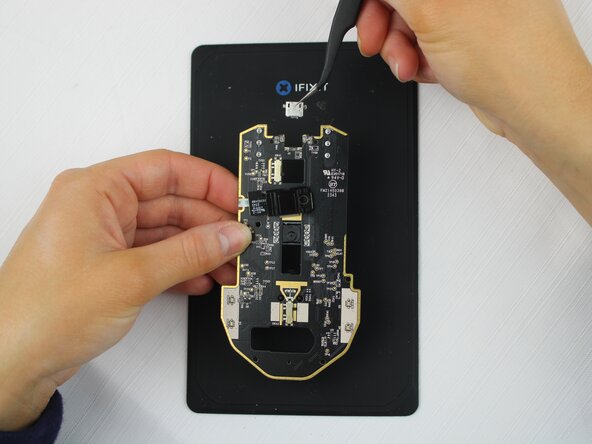
Remove the USB-C port with a pair of tweezers.
-


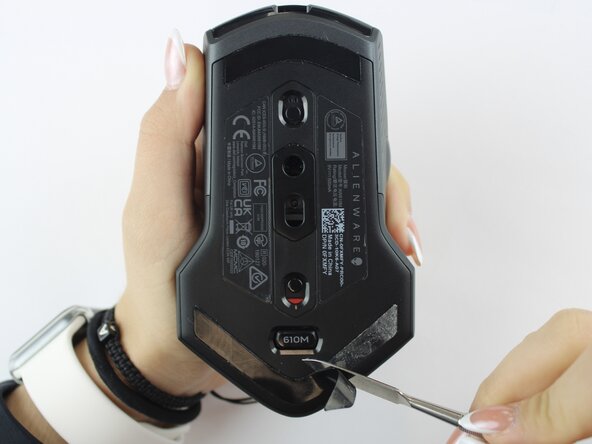


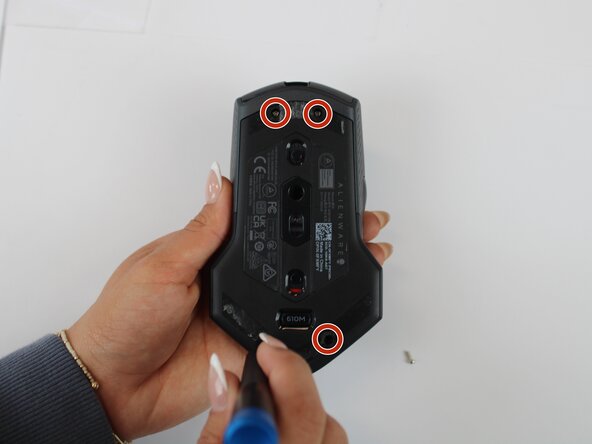


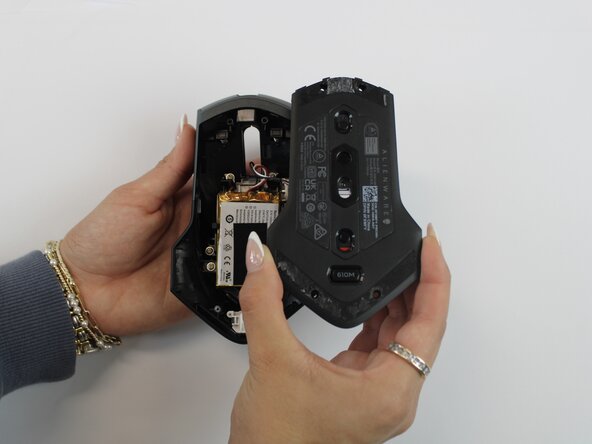


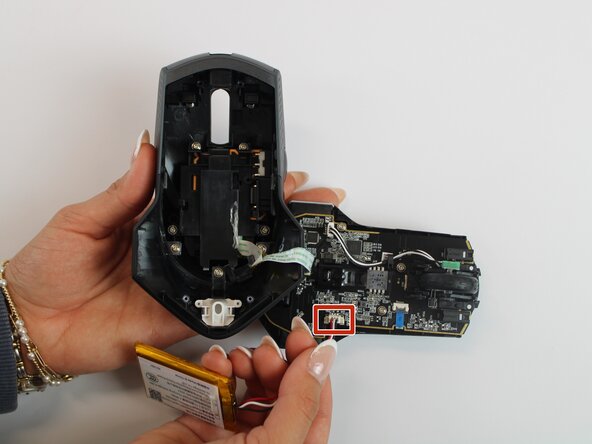




To reassemble your device, follow these instructions in reverse order.

Team

Texas Tech, Team 46-4, Johansen Fall 2025 Member of Texas Tech, Team 46-4, Johansen Fall 2025
TTU-JOHANSEN-F25S46G4
4 Members
5 Guides authored
