Free shipping on orders over €65*

Creality Ender 3 Bracket Plate of Y-Axis Motor Replacement

What you need

  1. Creality Ender 3  Bracket Plate of Y-Axis Motor Replacement, Bracket Plate of Y-Axis Motor: step 1, image 1 of 1
    • Place the bed plate in the middle of your Ender 3. Do this manually by gently pushing it to the middle.

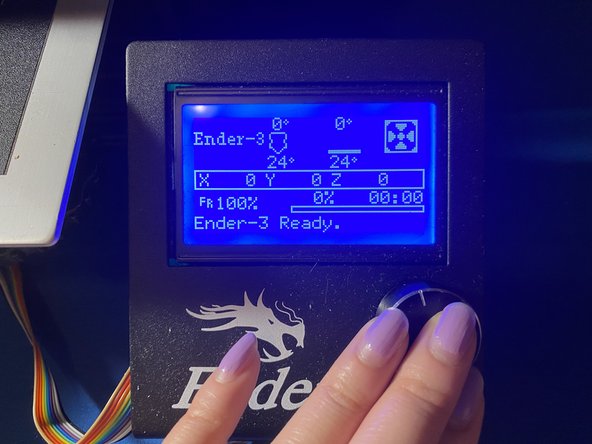
  2. Creality Ender 3  Bracket Plate of Y-Axis Motor Replacement: step 2, image 1 of 2 Creality Ender 3  Bracket Plate of Y-Axis Motor Replacement: step 2, image 2 of 2
    • Or alternatively, place the bed in the center by turning your Ender 3 on.

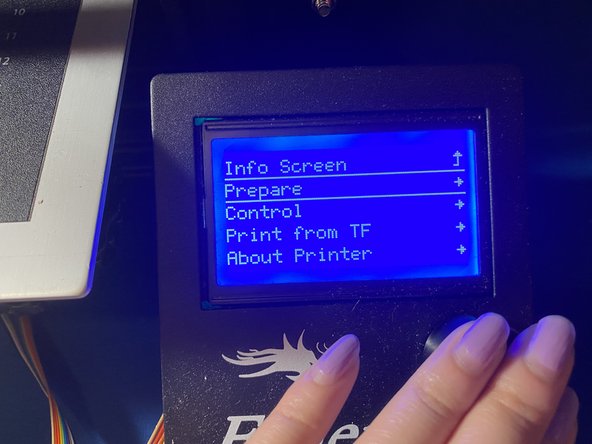
  3. Creality Ender 3  Bracket Plate of Y-Axis Motor Replacement: step 3, image 1 of 3 Creality Ender 3  Bracket Plate of Y-Axis Motor Replacement: step 3, image 2 of 3 Creality Ender 3  Bracket Plate of Y-Axis Motor Replacement: step 3, image 3 of 3
    • Turn on the printer, and click the button to the screen shown in the photo.

    • Rotate the button clockwise to "Prepare".

    • Rotate the button clockwise to AutoHome. This should set your bedplate to 0 on both X & Y axes.

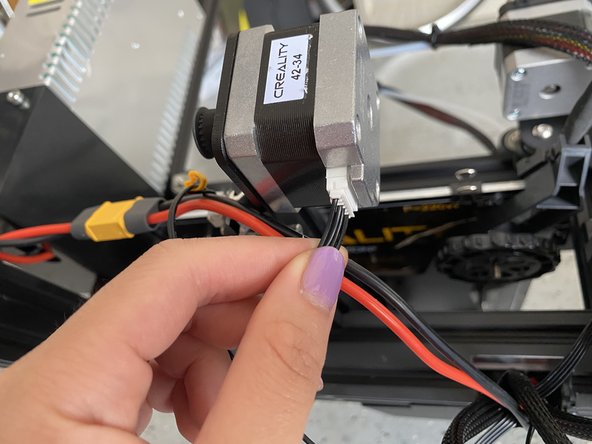
  4. Creality Ender 3  Bracket Plate of Y-Axis Motor Replacement: step 4, image 1 of 1
    • Unplug the wire that is connected to the Y motor.

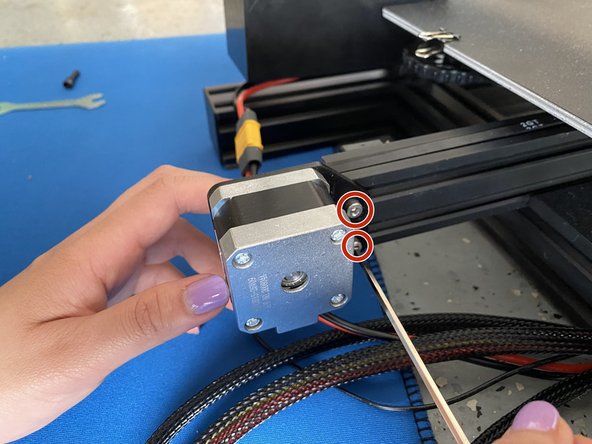
  5. Creality Ender 3  Bracket Plate of Y-Axis Motor Replacement: step 5, image 1 of 1
    • Remove the two M4*20 screws from the back end of the Y-axis bar using an 8 mm Allen Wrench. The side of the display should be facing you.

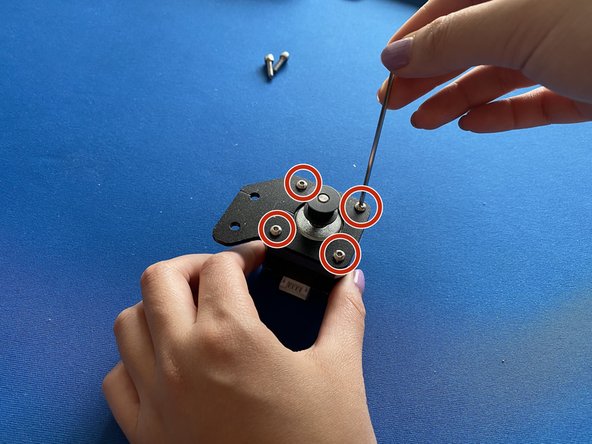
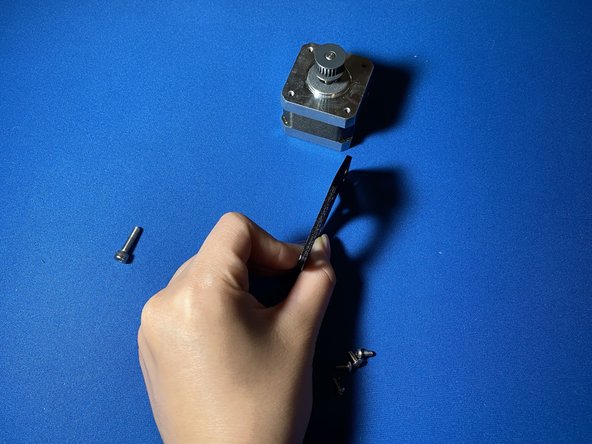
  6. Creality Ender 3  Bracket Plate of Y-Axis Motor Replacement: step 6, image 1 of 1
    • Remove the four M3*6 screws that are attaching the motor to the Y-axis motor using an 8 mm Allen Wrench.

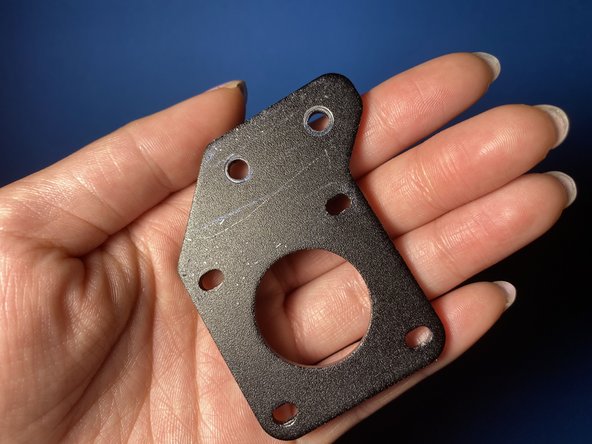
  7. Creality Ender 3  Bracket Plate of Y-Axis Motor Replacement: step 7, image 1 of 1
    • Buy a new bracket with the same brand (depending on the severity of the bend of the bracket) or straighten the metal on your own.

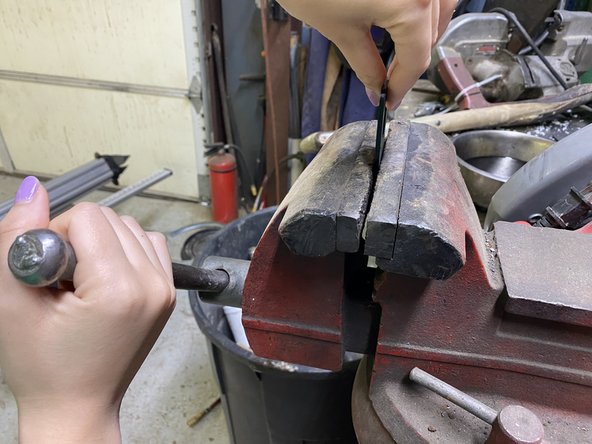
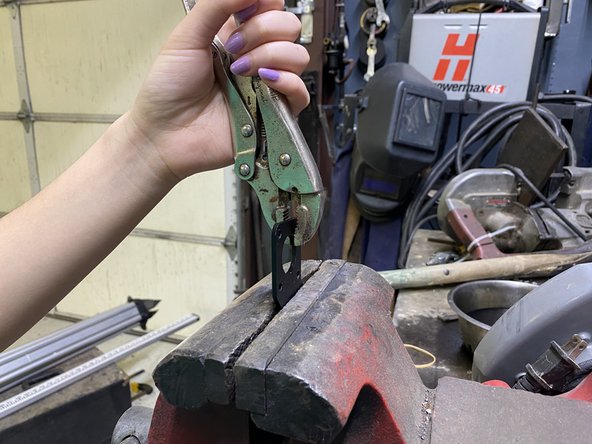
  8. Creality Ender 3  Bracket Plate of Y-Axis Motor Replacement: step 8, image 1 of 2 Creality Ender 3  Bracket Plate of Y-Axis Motor Replacement: step 8, image 2 of 2
    • If you choose to fix it on your own, slip the bracket in between a workshop bench clamp. Apply enough pressure between two thick blocks of metal to straighten it.

    • Use vise-grips to aid in stabilizing the metal as you force the metal to straighten.

  9. Creality Ender 3  Bracket Plate of Y-Axis Motor Replacement: step 9, image 1 of 2 Creality Ender 3  Bracket Plate of Y-Axis Motor Replacement: step 9, image 2 of 2
    • Repeat, Steps 6-11 in reverse to put the bracet back on the Y motor and back on the Ender 3.

    • Turn on Ender 3 to see if you did it correctly. Try to also print something too!

Conclusion

To reassemble your device, follow these instructions in reverse order.

One other person completed this guide.

Isabella Bianca Reano

Member since: 04/18/21

217 Reputation

1 Guide authored

0 Guide Comments

Add Comment

View Statistics:

Past 24 Hours: 3

Past 7 Days: 21

Past 30 Days: 60

All Time: 3,034