Introduction
This guide will provide detailed step-by-step instructions on replacing the shells covering the buttons for the GameSir K1 Kaleid wired controller. The A, B, X, and Y buttons are used to confirm choices or move within a game. They can become sticky, unresponsive, or physically damaged due to overuse, dirt, or accidental damage.
What you need
-
-
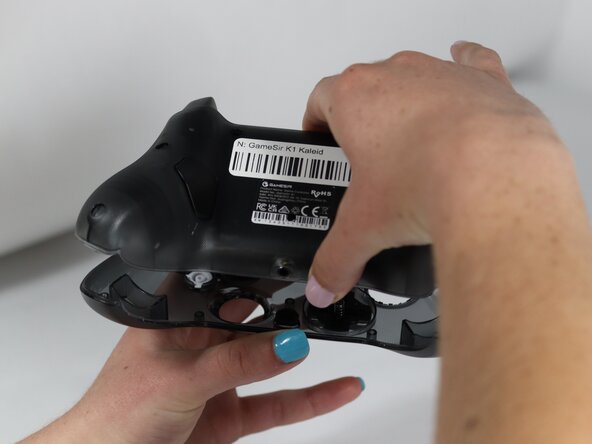
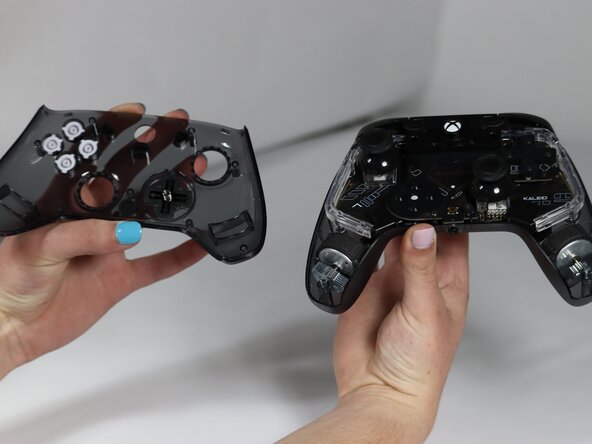
Remove seven 1 mm screws from the backside of the controller using a TR6 Torx screwdriver.
-
-
-
-
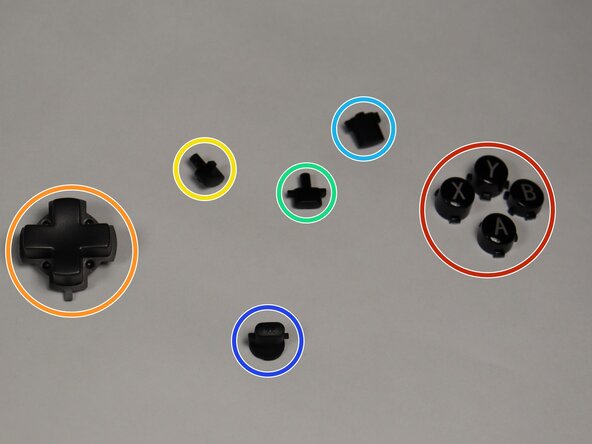
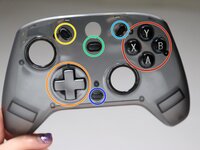
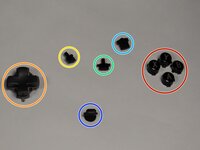
Replace needed buttons.
-
A, B, X, Y Buttons.
-
The D-pad
-
The view button
-
The share button
-
The menu button
-
The M button
-




To reassemble your device, follow these instructions in reverse order.
Cancel: I did not complete this guide.
One other person completed this guide.

Team

Colorado Mesa University, Team 1-4, Kinney Spring 2025 Member of Colorado Mesa University, Team 1-4, Kinney Spring 2025
CMU-KINNEY-S25S1G4
3 Members
6 Guides authored
