Introduction
This guide shows how to replace the D-Pad on the GameSir X2s Type-C Mobile Gaming Controller. The GameSir X2s Type-C is a USB-C mobile controller designed for Android devices and USB-C–compatible phones, including the iPhone 15 series.
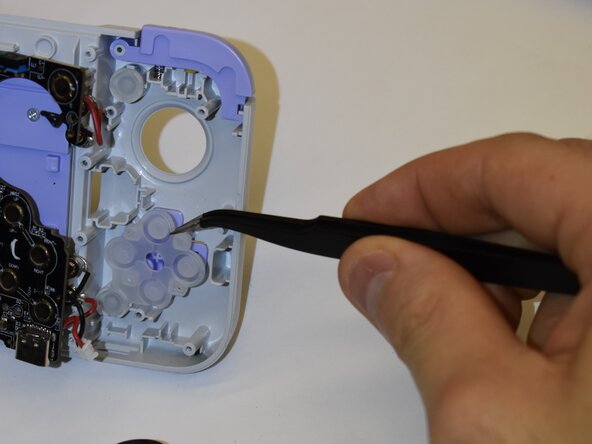
The D-Pad is responsible for directional inputs such as up, down, left, and right. It is commonly used for movement, menu navigation, and precision control in many games. Replacing the D-Pad can restore accurate directional input and improve overall gameplay performance.
What you need
-
-
Use a 000 Phillips screwdriver to remove the following eight silver fine-thread 6mm screws.
-
Flip the controller upright.
-
-
-
Remove the four silver fine-thread 4.5mm screws under the rubber grip using the 000 Phillips screwdriver.
-
Flip the GameSir X2s Type-C to the back.
-
Using a prying tool around the lip, where both pieces of plastic meet, run that around the hold device.
-
Pop off the plastic piece attached to the device.
-
-


To reassemble your device, follow these instructions in reverse order.
Cancel: I did not complete this guide.
One other person completed this guide.

Team

Purdue University Northwest, Team 4-11, Dieterle Fall 2025 Member of Purdue University Northwest, Team 4-11, Dieterle Fall 2025
PNW-DIETERLE-F25S4G11
5 Members
6 Guides authored
