Free shipping on orders over €65*

How to Fix a Thrustmaster Eswap X Pro Controller Trigger

What you need

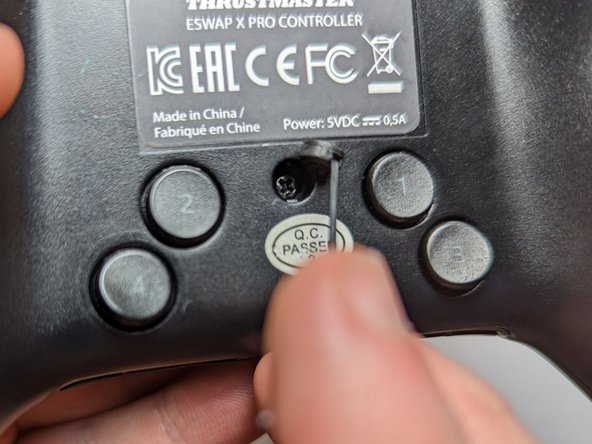
  1. How to Fix a Thrustmaster Eswap X Pro Controller Trigger, How to Fix a Thrustmaster Eswap X Pro Controller Trigger: step 1, image 1 of 2 How to Fix a Thrustmaster Eswap X Pro Controller Trigger, How to Fix a Thrustmaster Eswap X Pro Controller Trigger: step 1, image 2 of 2
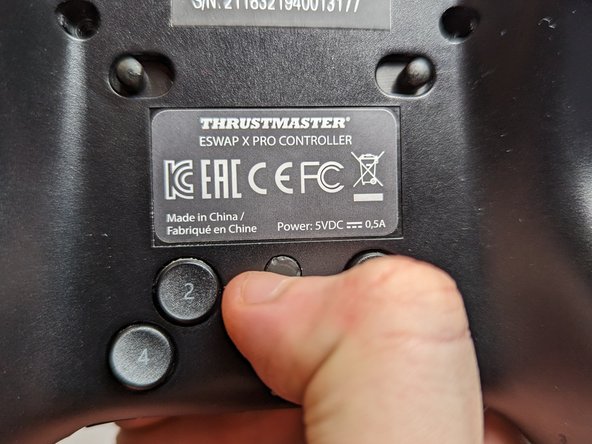
    • Flip the controller so the backside is facing up.

    • Flip both of the switches away from the center.

  2. How to Fix a Thrustmaster Eswap X Pro Controller Trigger: step 2, image 1 of 3 How to Fix a Thrustmaster Eswap X Pro Controller Trigger: step 2, image 2 of 3 How to Fix a Thrustmaster Eswap X Pro Controller Trigger: step 2, image 3 of 3
    • Flip the controller over so the top is facing up.

    • Pull out both the joystick and the directional pad modules.

  3. How to Fix a Thrustmaster Eswap X Pro Controller Trigger: step 3, image 1 of 3 How to Fix a Thrustmaster Eswap X Pro Controller Trigger: step 3, image 2 of 3 How to Fix a Thrustmaster Eswap X Pro Controller Trigger: step 3, image 3 of 3
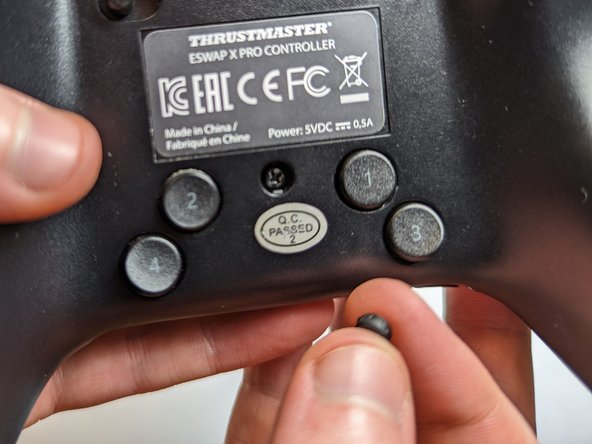
    • Flip the controller over again so the backside is facing up.

    • Use a spudger to remove five rubber screw covers.

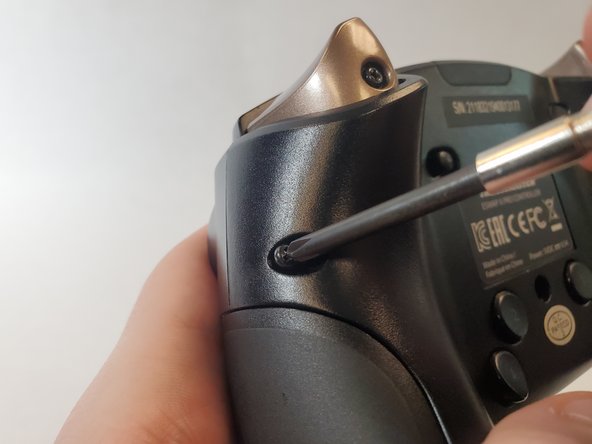
  4. How to Fix a Thrustmaster Eswap X Pro Controller Trigger: step 4, image 1 of 3 How to Fix a Thrustmaster Eswap X Pro Controller Trigger: step 4, image 2 of 3 How to Fix a Thrustmaster Eswap X Pro Controller Trigger: step 4, image 3 of 3
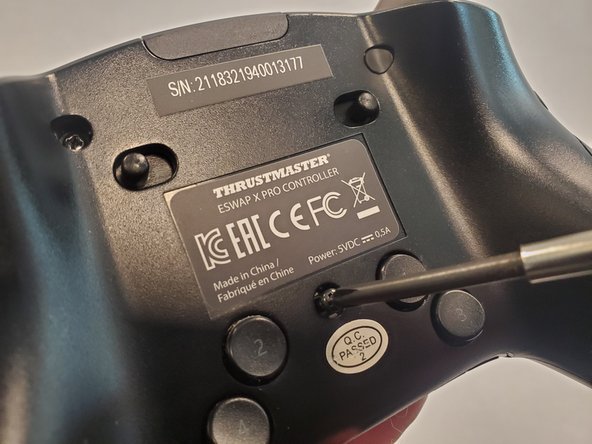
    • Use a Phillips #1 screwdriver to remove each of the 4.0 mm exposed screws.

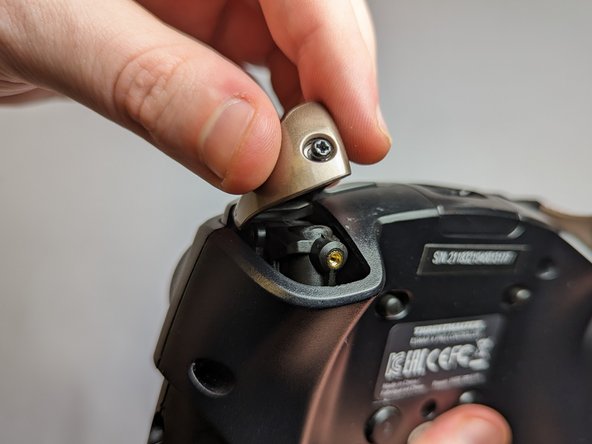
  5. How to Fix a Thrustmaster Eswap X Pro Controller Trigger: step 5, image 1 of 2 How to Fix a Thrustmaster Eswap X Pro Controller Trigger: step 5, image 2 of 2
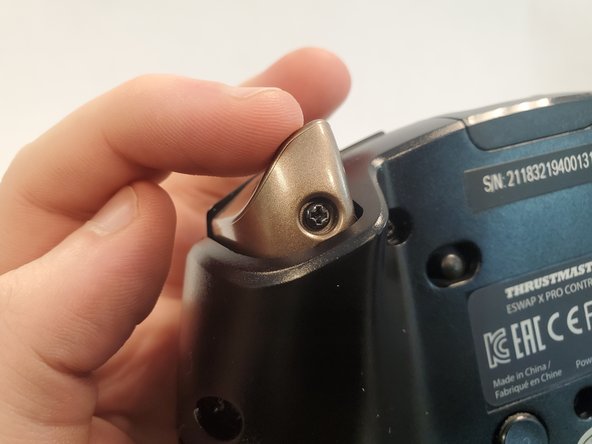
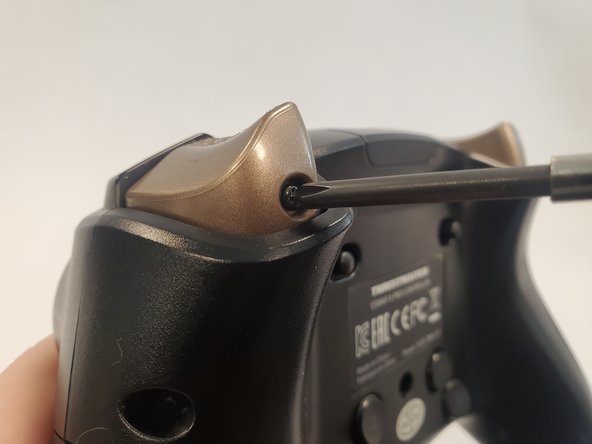
    • Use a Phillips #1 screwdriver to loosen the captive screw and remove the trigger button.

  6. How to Fix a Thrustmaster Eswap X Pro Controller Trigger: step 6, image 1 of 3 How to Fix a Thrustmaster Eswap X Pro Controller Trigger: step 6, image 2 of 3 How to Fix a Thrustmaster Eswap X Pro Controller Trigger: step 6, image 3 of 3
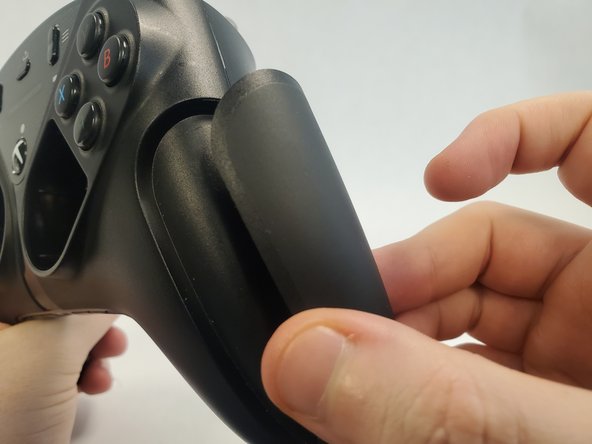
    • Rotate the controller 90 degrees.

    • Pull off the magnetic side cover.

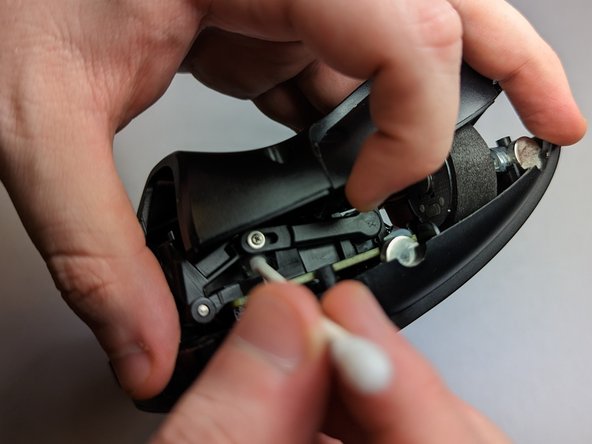
  7. How to Fix a Thrustmaster Eswap X Pro Controller Trigger: step 7, image 1 of 3 How to Fix a Thrustmaster Eswap X Pro Controller Trigger: step 7, image 2 of 3 How to Fix a Thrustmaster Eswap X Pro Controller Trigger: step 7, image 3 of 3
    • Lift the back cover slightly from where you removed the trigger button.

    • Use a Q-tip dipped with isopropyl alcohol to clean the surrounding area.

    • Additionally, wipe down the top face of the trigger with a Q-tip.

  8. How to Fix a Thrustmaster Eswap X Pro Controller Trigger: step 8, image 1 of 3 How to Fix a Thrustmaster Eswap X Pro Controller Trigger: step 8, image 2 of 3 How to Fix a Thrustmaster Eswap X Pro Controller Trigger: step 8, image 3 of 3
    • Reattach the trigger button onto the controller.

    • Use a Phillips #1 screwdriver to tighten the screw securing trigger button.

  9. How to Fix a Thrustmaster Eswap X Pro Controller Trigger: step 9, image 1 of 3 How to Fix a Thrustmaster Eswap X Pro Controller Trigger: step 9, image 2 of 3 How to Fix a Thrustmaster Eswap X Pro Controller Trigger: step 9, image 3 of 3
    • Use a Phillips #1 screwdriver to reattach the 4.0 mm screws to the back of the controller.

  10. How to Fix a Thrustmaster Eswap X Pro Controller Trigger: step 10, image 1 of 3 How to Fix a Thrustmaster Eswap X Pro Controller Trigger: step 10, image 2 of 3 How to Fix a Thrustmaster Eswap X Pro Controller Trigger: step 10, image 3 of 3
    • Notice that the notches on the rubber covers correspond with the notches on the screw hole.

    • Reattach the rubber covers above the screws.

  11. How to Fix a Thrustmaster Eswap X Pro Controller Trigger: step 11, image 1 of 1
    • Place the joystick and the directional pad modules back in their respective spots.

  12. How to Fix a Thrustmaster Eswap X Pro Controller Trigger: step 12, image 1 of 3 How to Fix a Thrustmaster Eswap X Pro Controller Trigger: step 12, image 2 of 3 How to Fix a Thrustmaster Eswap X Pro Controller Trigger: step 12, image 3 of 3
    • Reattach the magnetic side cover.

    • The controller is fixed!

Conclusion

To reassemble your device, follow these instructions in reverse order.

4 other people completed this guide.

Laurence Chan

Member since: 01/26/23

296 Reputation

1 Guide authored

Team

UC Davis, Team 2-3, Morris Winter 2023 Member of UC Davis, Team 2-3, Morris Winter 2023

UCD-MORRIS-W23S2G3

2 Members

1 Guide authored

4 Guide Comments

The problem is it keeps happening after doing all these steps. is there any way or parts to replace the trigger sensor completely? Possibly with a nice hall effect sensor?

John Addington - Reply Share

You can remove the lever bar that goes from the screw to the sensor (the one you see on Step 7)

Spray a small amount of WD40 on the sensor and use a prong to rotate the part on its full range of motion several times, that will clean up the contact inside and it completely fixed the jitter on mine.

Alex L - Share

hi, i made an account here just to say this worked for me but on the thrustmaster eswap S pro controller, it's almost identical aside from the cover panels

Anna Fiore - Reply Share

so to repair mine, I did a couple additional things :
- step 3 & 4 : I unscrewed all 7 screws (careful though some stuff can tumble it seems)
- on the image of step 7b you can see a small screw above the Q-tip, I unscrewed this ( Phillips #0 )
- removed the lever
- carefully pushed the trigger mechanism to the side to "fully open it"
- at this point I had full access to the sensor & to the spring on the rotating part of the trigger
- cleaned both
- reassembled everything ( be gentle with the screwing of the Phillips #0 screw )
DONE.

Thanks for the guide.

Whismerhill - Reply Share

Add Comment

View Statistics:

Past 24 Hours: 4

Past 7 Days: 20

Past 30 Days: 91

All Time: 4,763