Introduction
This trackball is of a very robust construction; I have been using it for my work since 2009.
I appreciate the ball's inertia; crossing the screen only takes a flick. The large buttons allow a great deal of freedom of positioning your fingers. The four buttons are programmable and accept 6 commands.
In normal usage the trackball can get dirty, but the ball and optical sensors are easy to clean with a microfiber cloth. However, as with all mice, the interior cannot be cleaned without disassembly. I recently lost the use of the right click.
What you need
-
-
Remove the ball and flip the base over.
-
Take off the rubber feet hiding 4 Phillips (PH1) screws using a spudger.
-
Remove the rubber crown hiding 3 small Phillips (PH0) screws.
-
Remove the seven screws.
-
-
-
Using an opening pick, pry up the lower case from the bottom.
-
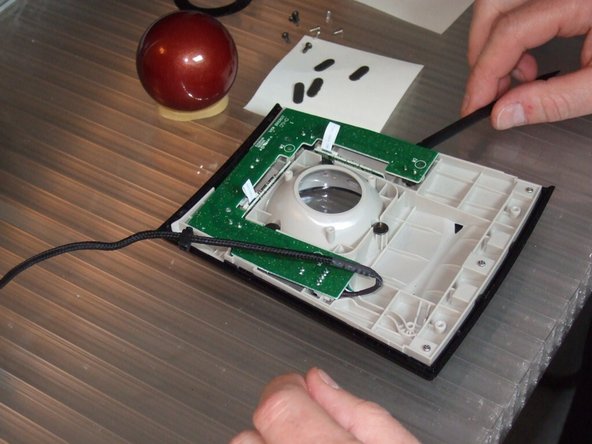
Tilt the lower case to the left to access the USB cable that is routed through a channel in the lower case.
-
Loosen the cable retainer to free the lower housing.
-
-
-
-
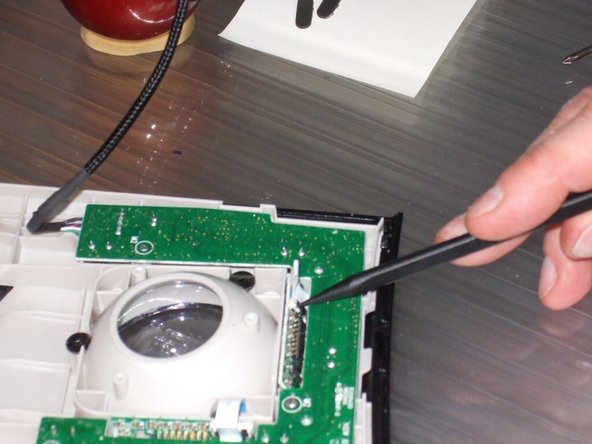
Flip up the retaining lever of the ZIF connector on the horizontal optical sensor.
-
Remove the cable from the connector.
-
Flip up the retaining lever of the ZIF connector on the vertical optical sensor.
-
Remove the cable from the connector.
-
Remove the 3 Phillips PH0 screws securing the circuit board. They are marked with white circles.
-
Remove the circuit board by carefully lifting with a spudger. Place it on a stable support to dust off the micro contacts.
-
-
-
Dust the button contacts by pressing on them with a spudger and blowing into them with a hand blower. Repeat ten to twenty times for each of the four contacts.
-
Remove the screws from the horizontal displacement sensor.
-
Dust the sensor as needed. (This one is surprisingly clean.)
-
Do the same for the vertical displacement sensor.
-




To reassemble your device, follow the instructions in reverse order.
Cancel: I did not complete this guide.
2 other people completed this guide.
Special thanks to these translators:
100%


These translators are helping us fix the world! Want to contribute?
Start translating ›

Team

2 Guide Comments
Hi Akhil,
Sorry for this late answer.
If it s not smooth, first clean the ball and the 3 steel points. Dust and fiber may accumulate around them. Once all is clear and dry, it may work. If you feel it's not enough, you can roll the ball in your hair. Sebum is a good lubricant.
I hope it will increase your confort.
