Introduction
Use this guide to remove and replace one of the G keys on the Logitech G915 TKL keyboard. A G key may need to be replaced if it's loose and not registering inputs properly, or simply broken for one reason or another.
A Phillips #00 Screwdriver is necessary to complete this guide.
What you need
-
-
-
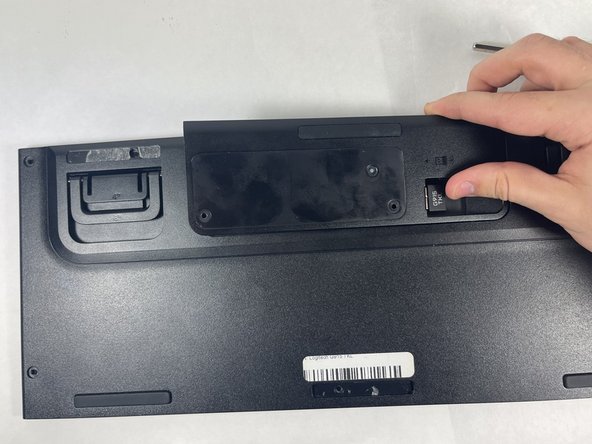
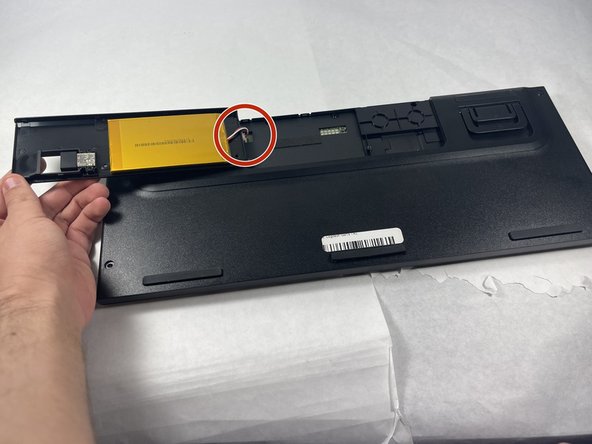
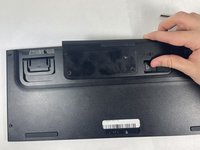
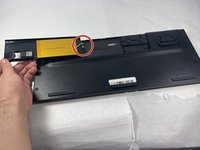
Remove the battery.
-
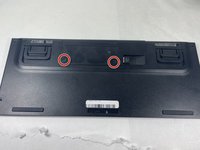
This will require the removal of the back sticker and unscrewing the two 2.5mm #0 Phillips screws circled.
-
-
-
Remove the remaining 2mm #00 Phillips back screws.
-
3 screws are hidden under the rubber rests of the keyboard.
-




To reassemble your device, follow these instructions in reverse order.
Cancel: I did not complete this guide.
3 other people completed this guide.

Team

UMass Dartmouth, Team 3-6, Petersen Spring 2023 Member of UMass Dartmouth, Team 3-6, Petersen Spring 2023
UMASSD-PETERSEN-S23S3G6
4 Members
16 Guides authored
5 Guide Comments
I can't find anywhere to buy a replacement key, can you point to a place where this is available?.
"Once the motherboard is detached, they can be easily removed and replaced by hand."
Except you can't! The motherboard and all the key switches are slightly overlapped. Unless you de-soldering all the switch, you can not change the G keys. Stupid solution from Logitech in a such expensive keyboard
Do i need soldering for my spacekey stabilizers since one fell out. Or is it an easy fix?
