Free shipping on orders over €65*

Razer BlackWidow V3 Tenkeyless Switch Replacement

What you need

  1. Razer BlackWidow V3 Tenkeyless Switch Replacement, Switches: step 1, image 1 of 1
    • Before you start, unplug the keyboard from your computer to prevent accidental damage.

    • Use a keycap puller remove all keycaps.

  2. Razer BlackWidow V3 Tenkeyless Switch Replacement: step 2, image 1 of 1
    • Carefully examine the bottom of the keyboard, has small screws securing the backplate.

    • Remove the 7.8 mm screws that secure the faceplate using a Phillips #0 screwdriver.

    • Avoid applying excessive force.

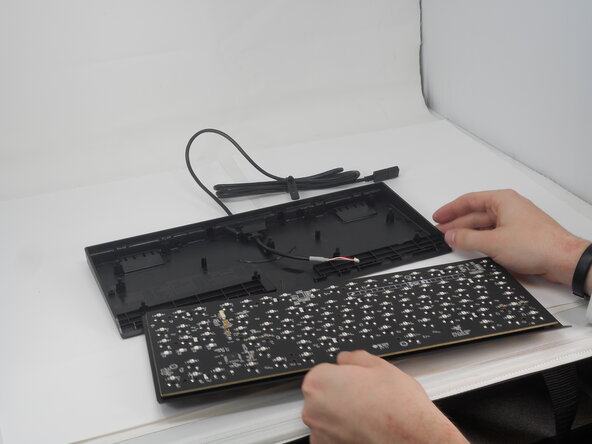
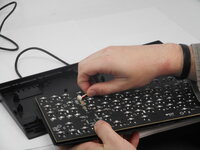
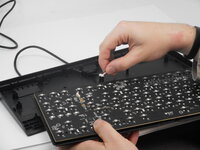
  3. Razer BlackWidow V3 Tenkeyless Switch Replacement: step 3, image 1 of 2 Razer BlackWidow V3 Tenkeyless Switch Replacement: step 3, image 2 of 2
    • Carefully separate the backplate from the main keyboard body.

    • A plastic opening tool can be helpful to gently pry the pieces apart if needed.

    • Be patient and work slowly to avoid breaking any clips or the usb-connector.

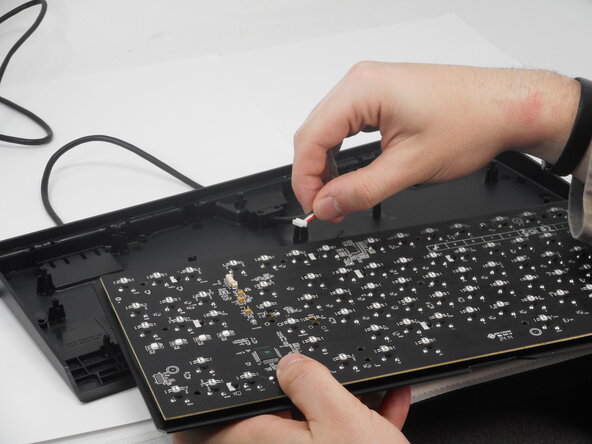
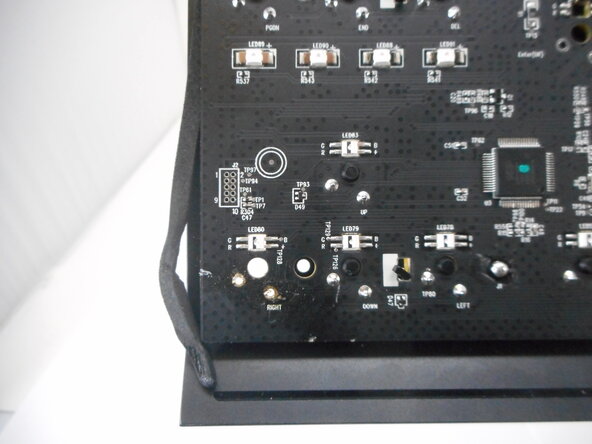
  4. Razer BlackWidow V3 Tenkeyless Switch Replacement: step 4, image 1 of 2 Razer BlackWidow V3 Tenkeyless Switch Replacement: step 4, image 2 of 2
    • Pull the white USB connector directly out of its socket.

    • Ensure the cable is pulled straight back to prevent the usb-connector snapping.

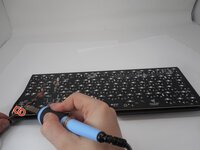
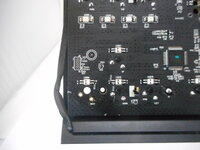
  5. Razer BlackWidow V3 Tenkeyless Switch Replacement: step 5, image 1 of 2 Razer BlackWidow V3 Tenkeyless Switch Replacement: step 5, image 2 of 2
    • Use a soldering iron to heat the two solder points securing the switch to the board, then apply a solder wick to absorb and remove the melted solder.

    • The soldering process involves high heat—handle the soldering iron carefully to avoid burns or damage to the circuit board.

Conclusion

To reassemble your device, follow these instructions in reverse order.

Zach Nelson

Member since: 02/18/25

499 Reputation

3 Guides authored

0 Guide Comments

Add Comment

View Statistics:

Past 24 Hours: 3

Past 7 Days: 17

Past 30 Days: 75

All Time: 935