Free shipping on orders over €65*

Razer Mamba Wireless Gaming Mouse Scroll Wheel Fix

What you need

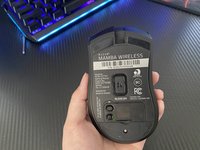
  1. Razer Mamba Wireless Gaming Mouse Scroll Wheel Fix, Razer Mamba Wireless Gaming Mouse Scroll Wheel Fix: step 1, image 1 of 3 Razer Mamba Wireless Gaming Mouse Scroll Wheel Fix, Razer Mamba Wireless Gaming Mouse Scroll Wheel Fix: step 1, image 2 of 3 Razer Mamba Wireless Gaming Mouse Scroll Wheel Fix, Razer Mamba Wireless Gaming Mouse Scroll Wheel Fix: step 1, image 3 of 3
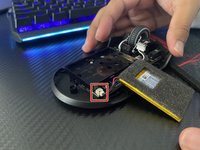
    • Remove the single screw using a Phillips #000 screwdriver.

    • Peel back the sticker on the mouse to reveal the two screws behind it.

    • Remove the two screws using a Phillips #000 screwdriver.

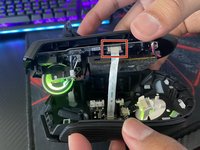
  2. Razer Mamba Wireless Gaming Mouse Scroll Wheel Fix: step 2, image 1 of 2 Razer Mamba Wireless Gaming Mouse Scroll Wheel Fix: step 2, image 2 of 2
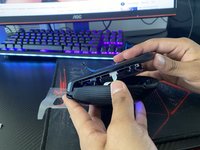
    • Use an iFixit opening tool to pry open your mouse.

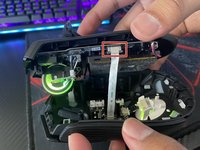
    • Detach the ribbon cable by squeezing the two grey latches and pulling it out gently.

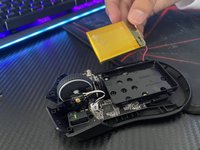
  3. Razer Mamba Wireless Gaming Mouse Scroll Wheel Fix: step 3, image 1 of 3 Razer Mamba Wireless Gaming Mouse Scroll Wheel Fix: step 3, image 2 of 3 Razer Mamba Wireless Gaming Mouse Scroll Wheel Fix: step 3, image 3 of 3
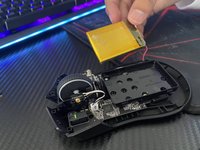
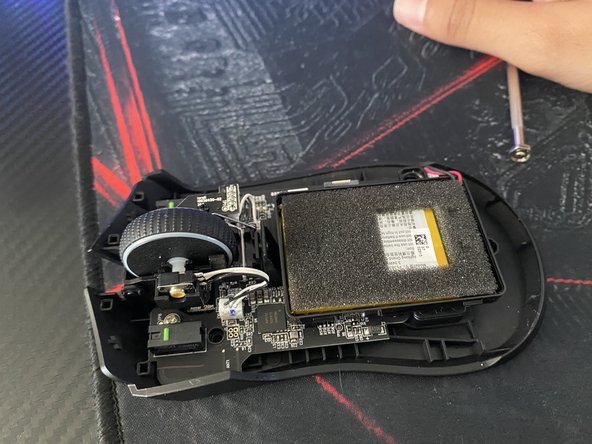
    • Use your hands to lift the battery out of the mouse.

    • The battery's wire is still attached to the mouse, so use caution.

    • Use your fingers to detach the cable from the mouse.

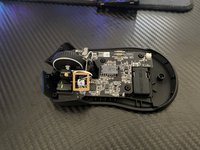
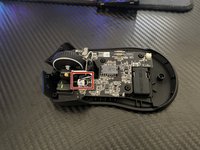
  4. Razer Mamba Wireless Gaming Mouse Scroll Wheel Fix: step 4, image 1 of 3 Razer Mamba Wireless Gaming Mouse Scroll Wheel Fix: step 4, image 2 of 3 Razer Mamba Wireless Gaming Mouse Scroll Wheel Fix: step 4, image 3 of 3
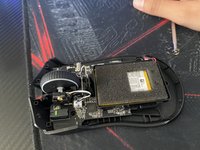
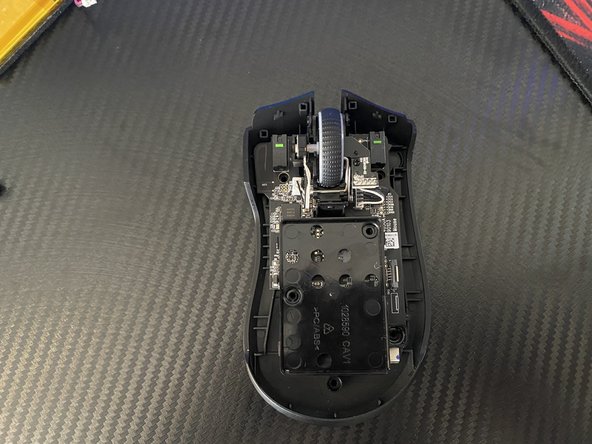
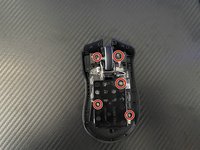
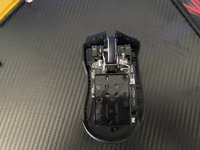
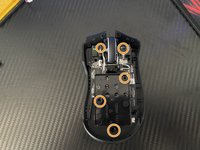
    • Unscrew the five 1.4 mm screws using the Phillips #000 screwdriver.

    • Detach the wire that is connected to the scroll wheel.

    • Be gentle when pulling on the wire, or it could tear.

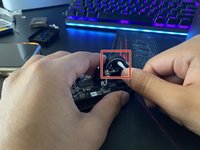
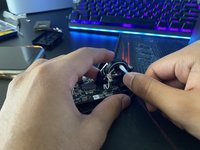
  5. Razer Mamba Wireless Gaming Mouse Scroll Wheel Fix: step 5, image 1 of 2 Razer Mamba Wireless Gaming Mouse Scroll Wheel Fix: step 5, image 2 of 2
    • Dip a cotton swab in hydrogen peroxide.

    • Clean the scroll wheel by dabbing the cotton swab around it.

    • Do not put too much hydrogen peroxide on the cotton swab or else the scroll wheel could get damaged.

  6. Razer Mamba Wireless Gaming Mouse Scroll Wheel Fix: step 6, image 1 of 3 Razer Mamba Wireless Gaming Mouse Scroll Wheel Fix: step 6, image 2 of 3 Razer Mamba Wireless Gaming Mouse Scroll Wheel Fix: step 6, image 3 of 3
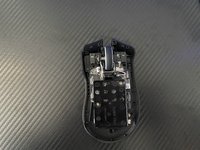
    • Reinsert the wire back into its socket.

    • Insert and tighten the five 1.4 mm screws with the Phillips #000 screwdriver.

  7. Razer Mamba Wireless Gaming Mouse Scroll Wheel Fix: step 7, image 1 of 3 Razer Mamba Wireless Gaming Mouse Scroll Wheel Fix: step 7, image 2 of 3 Razer Mamba Wireless Gaming Mouse Scroll Wheel Fix: step 7, image 3 of 3
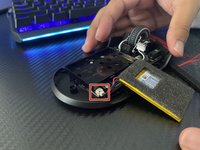
    • Connect the battery wire back into the latch.

    • Put the battery back into the battery holder.

  8. Razer Mamba Wireless Gaming Mouse Scroll Wheel Fix: step 8, image 1 of 3 Razer Mamba Wireless Gaming Mouse Scroll Wheel Fix: step 8, image 2 of 3 Razer Mamba Wireless Gaming Mouse Scroll Wheel Fix: step 8, image 3 of 3
    • Connect the wire back into the latch.

    • Screw back the three screws using a Phillips #000 screwdriver.

    • Replace the sticker that was covering the top two screws.

Finish Line

7 other people completed this guide.

Kevin Velez

Member since: 04/04/22

328 Reputation

1 Guide authored

Team

3 Guide Comments

Listen screw driver is incorrect. Poor disassembly instructions that can easily lead to further irreparable damage to the mouse. Incredibly disappointing

Benjamin Parker - Reply Share
Cry me a river! If the screwdriver is incorrect i.e., doesn't fit into the screw correctly, don't attempt to make it work but instead try a different sized screwdriver. Wow! What a concept! Quit with the dramatics and just be glad that Kevin took the time to make this guide.

Michael Kolman - Share

Thank you for the teardown guide.

For anyone attempting this I have a couple notes to help you.

1. Unless you need to clean under the battery you DO NOT need to remove the battery and unscrew the 5 #000 Philips screws. As stated in this guide. This step is pointless and there is no need to take the time doing this. The screw seated to the left of the scroll wheel housing is crazy difficult to put back - unless you have tweezers. The scroll wheel can be cleaned without this step!

2. The 3 screws securing the mouse housing/body under the stickers are NOT #000 Phillips, they are T6 Star heads.

I completed this fix, but my scroll wheel still glitches and has a ton of jitter. I'm convinced this is a hardware/design issue.

JacobD - Reply Share

Add Comment

View Statistics:

Past 24 Hours: 5

Past 7 Days: 39

Past 30 Days: 181

All Time: 15,340