Free shipping on orders over €65*

Ubiquiti Cloud Key Gen2: How to replace faulty battery

  1. Ubiquiti Cloud Key Gen2: How to replace faulty battery, Battery and Harddrive: step 1, image 1 of 1
    • Because of the original batterys special form factor it was impossible to find sth that fits. I found a Lithium battery from a model aircraft shop with 7.4 V and 280 mA

  2. Ubiquiti Cloud Key Gen2: How to replace faulty battery: step 2, image 1 of 1
    • Because this battery is larger than the original one I decided to mount it in the HD cage. I replaced original HD with a Samsung SSD. Take out the SSD of its housing for having more space. As you can see I mount a cable from the place of the original battery to the new place in the HD cage. The SSD will be auto formated by the system !

  3. Ubiquiti Cloud Key Gen2: How to replace faulty battery: step 3, image 1 of 1
    • Soldering the original battery connector to the cable. Battery has 3 lines

  4. Ubiquiti Cloud Key Gen2: How to replace faulty battery: step 4, image 1 of 1
    • Replacement battery fixed with cable ties. I wrote down the colour assignment of my cables and put it in the HD cage.

  5. Ubiquiti Cloud Key Gen2: How to replace faulty battery: step 5, image 1 of 1
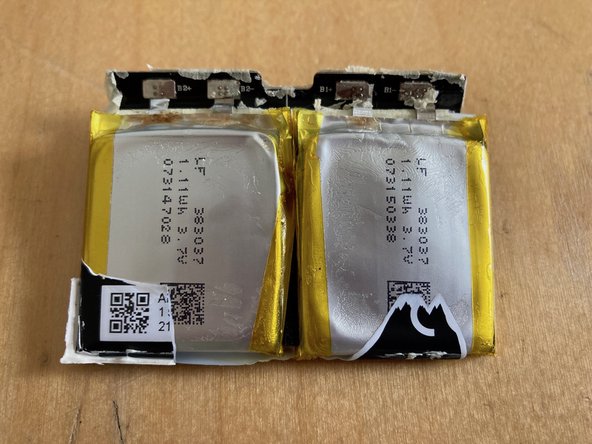
    • ...the old battery

  6. Ubiquiti Cloud Key Gen2: How to replace faulty battery: step 6, image 1 of 1
    • mission accomplished :-)

  7. Ubiquiti Cloud Key Gen2: How to replace faulty battery: step 7, image 1 of 2 Ubiquiti Cloud Key Gen2: How to replace faulty battery: step 7, image 2 of 2
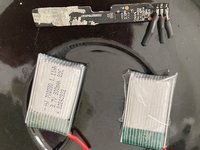
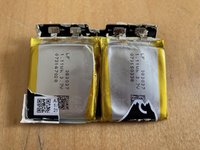
    • After some weeks of not using the device the shutdown function did not work. After checking some UI forums I found out there is a circuit board inside the dead battery.

    • I also found 2 LiPo cells with the suitable Watts and Voltages. Unfortunately my charging board is faulty. So I did further test with ordinary alkaline batteries.

  8. Ubiquiti Cloud Key Gen2: How to replace faulty battery: step 8, image 1 of 1
    • I testet 6x AAA batterys. This scenario also works, but there will not be enough space in the HD caddy. Finally a 9 V battery block did the job.

    • As I found out the newest generation of Cloud Keys is produced with no battery. I just had 2 new CKs, both switched off immediately when loosing PoE power. It seems with new Unifi OS the device can deal better with powerloss.

    • Nevertheless I suggest changing the 2.5" HD with a 2.5" SSD and doing safe backups of your config. USV powering of PoE switch is recommendable.

Conclusion

Arbeite die Schritte in umgekehrter Reihenfolge ab, um dein Gerät wieder zusammenzubauen.

One other person completed this guide.

0 Guide Comments

Add Comment

View Statistics:

Past 24 Hours: 5

Past 7 Days: 51

Past 30 Days: 238

All Time: 3,127