Free shipping on orders over €65*

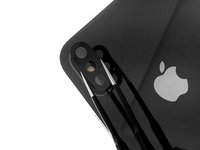
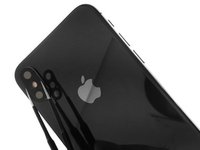
iPhone XS Rear Camera Lens Cover Replacment

  1. iPhone XS Rear Camera Lens Cover Replacment, Rear Camera Lens Cover: step 1, image 1 of 1
    • First, remove the shards of glass from the broken camera lens.

  2. iPhone XS Rear Camera Lens Cover Replacment: step 2, image 1 of 2 iPhone XS Rear Camera Lens Cover Replacment: step 2, image 2 of 2
    • Once the glass shards from the camera lens have been removed, thoroughly clean the camera bezel (the raised metal part around the camera).

  3. iPhone XS Rear Camera Lens Cover Replacment: step 3, image 1 of 2 iPhone XS Rear Camera Lens Cover Replacment: step 3, image 2 of 2
    • Stick some double sided tape or two dots of glue on the new iPhone X rear camera cover.

    • Use tweezers to position the glass lens in its housing.

  4. iPhone XS Rear Camera Lens Cover Replacment: step 4, image 1 of 1
    • Lightly press down on the lens for a few seconds to stick it down correctly.

    • You can test your rear camera to make sure your photos and videos have the right definition.

Conclusion

Congratulations ! You have repaired your iPhone XS, the lens is replaced, clean it with a microfiber cloth. You can now take photos and film normally.

5 other people completed this guide.

Special thanks to these translators:

fr en

100%

These translators are helping us fix the world! Want to contribute?
Start translating ›

cPix

Member since: 06/14/16

4,194 Reputation

8 Guides authored

1 Guide Comment

Can someone tell me where I should look for a replacement?

Nathanael H. W. - Reply Share

Add Comment

View Statistics:

Past 24 Hours: 2

Past 7 Days: 37

Past 30 Days: 114

All Time: 6,987