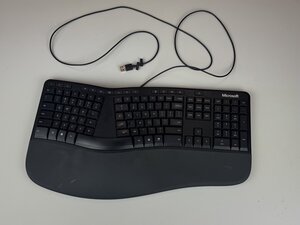
If pressing the keys on your Microsoft LXM-00001 keyboard produces no response on the screen, then follow these instructions to resolve the issue.
Causes
1
Debris Under Keys
When debris gets trapped under keys there is a high potential for the keys to get stuck, leading to unresponsive keys. In order to fix this issue, clean between grooves of keys using a keyboard compressed air duster, microfiber clothes, or a small brush.
2
Liquid Spills
When liquid gets spilled on a keyboard, the keys could become unresponsive because of the incompatibility of liquid and electronics. To fix this, unplug the keyboard, dry excess moisture from the keyboard, and reassemble.
3
Keyboard Damage
If the keyboard has been dropped or damaged in any way, the keys could potentially become unresponsive.