Free shipping on orders over €65*

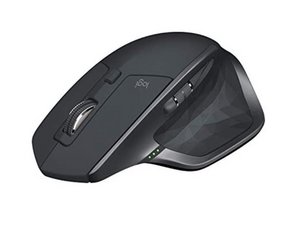
Repair and disassembly information for the Logitech MX Master 2S wireless mouse. Released in 2017 and identified by model numbers (M/N) M-R0066 or parts number (P/N) 810-005769, 910-005138, 910-005137, or 910-005131.

There is no flashing red light on the underside

A friend has given me 2 of these mice and both have no flashing red light on the underside, is there any simple fix or is this a parts replacement? The battery is charged and there are lights for the 1-2-3 selection. I have no available unit to connect it to, we just want the red light to come back on. (Located at the near center underside).

Answered! View the answer I have this problem too

Is this a good question?

Score 0
1 Comment

Yeah agree, I took it apart and everything looked fine, no lose or disconnected cables.... he said he dropped it but it still worked for some time but now it's dead as a mouse lol

by

Add a comment

1 Answer

Chosen Solution

The sensor LED is not visible. Take a camera, your smart phone will do, and look at the LED with that. You will see a purplish red light.

This works for remotes also.

If not, then it is broken and could be anything.

Was this answer helpful?

Score 1
Add a comment

Add your answer

livfe will be eternally grateful.
View Statistics:

Past 24 Hours: 1

Past 7 Days: 11

Past 30 Days: 35

All Time: 778
