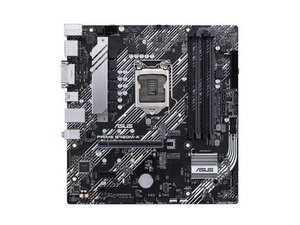
Yellow light stable and no display
My PC getting on and the Yellow light is stable and no display. Asus Motherboard
Is this a good question?
Score
0

My PC getting on and the Yellow light is stable and no display. Asus Motherboard
Is this a good question?

Rep: 1.4k
 15
15
 7
7
 11
11
Hi!
Assuming it is a yellow error code / debug light on your motherboard, then check your manual for debug/error/status/q-led lights for your specific motherboard.
I dunno if this is universal, but just checking a new asus manual, then the static yellow light is for DRAM (still, you have to check what codes are for your motherboard).
For (d)ram issues, please do the following:
If you need instruction on how to re-seat your ram sticks. Search in your specific manual for DIMM or RAM installation.
If you need help finding the information in your specific motherboard manual, please post your specific motherboard model and we can help to point out specific pages.
If you specific motherboard manual says that the light/error code is for something else, please respond and we can guide you with that new information.
Good luck,
Cheers
Was this answer helpful?
Past 24 Hours: 1
Past 7 Days: 6
Past 30 Days: 22
All Time: 83

I don't know what you mean by the yellow light.
I think it might be a debug light? But I don't know what the yellow light corresponds to. Could you tell me what's written below it? Boot, CPU, DRAM, VGA?
by 希望Windows的hh