Free Shipping on Domestic Orders $75+
Causes
Key binds and other settings revert to default or don't work after closing Razer Synapse, even if the mouse is configured to save profiles to onboard memory. To fix this, open the software and refresh the current mouse settings, or ensure the settings are on the correct profile.
If you use the mouse with multiple devices or switch between Bluetooth and the wireless dongle the profile may be lost when you switch devices. To prevent this, ensure Synapse is only running on one computer at a time to avoid conflicts. Close it on the device you are not using.
Related Problems

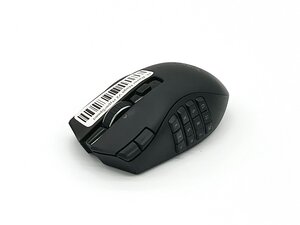
Razer Naga V2 HyperSpeed
Find free step-by-step repair instructions, manuals, schematics, community support, and other DIY resources. You can do it! We show you how.
2 common problems
View allHaven't found the solution to your problem?Browse our forum
View statistics:
Past 24 Hours:0
Past 7 Days:6
Past 30 Days:47
All Time:322
